Play with the ENECRA PhoneENECRA Quest and the town’s residents
This book is for players who start the ENECRA Phone and play in Survival. It covers the goals, hints and solutions of all 21 quests, the 18 residents who move into your town, their 35 requests, and how the King and money work. The solutions are folded at first, so you can try on your own first.
CHAPTER0
The ENECRA Phone and its screens
How to start it, the home screen, the quest screen, and language
Getting the ENECRA Phone
Everyone who enters a world for the first time gets one ENECRA Phone (everyone in Survival; in Creative, only the world's owner). You can also take one from the "Tools" group of the Creative inventory. Hold it and use it to open the phone.
If you lose the phone before turning it on, you can make a new one at a crafting table (search for the phone's name with the magnifier on the left of the crafting table to see the recipe. The name is in your Minecraft language: "ENECRA Phone" in English).
Starting it (Easy and Hard)
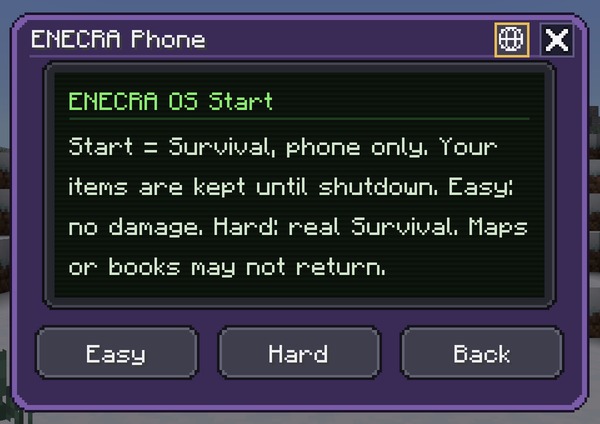
Start screenAppears when you press the power button
Starting the phone puts you in Survival, and your inventory holds only the phone. Your current items are kept safe and come back when you shut down.
Easy: you take no damage and break blocks quickly. Broken blocks drop as items even without the right tool.
Hard: real Survival (you take damage).
You can't fly in either mode. You can switch modes any time while the phone is started.
While it is started, the phone comes straight back to you if you drop it, die or lose it.
Home screen
1234567891011
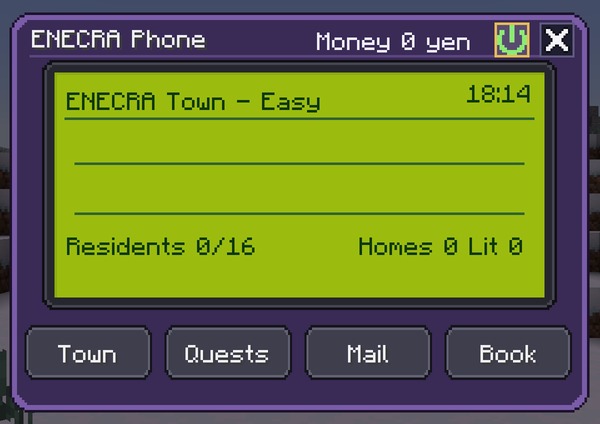
Home screenA town just after starting (0 residents)
Tap the picture to hide the numbers (tap again to bring them back).
1MoneyYour money (your home plus the money you have deposited).
2PowerGreen while the phone is started. Press it for the power screen (switch mode, shut down).
3Town name and modeAlso shows the current mode (Easy / Hard).
4TimeThe current time in the game.
5Town statusPictures of the shops you have built, and notices (effects that are on now, "! Someone wants to move in" and so on).
6ResidentsResidents who have come / the 16 regular residents.
7Homes and powerThe number of homes in town, and how many have power.
8TownThe list of residents. Welcome people who want to move in, and see the town's day (a power graph).
9QuestsOpens the quest screen.
10MailMail from the King.
11BookThe Residents Book and the Items Book (buy furniture you have already got).
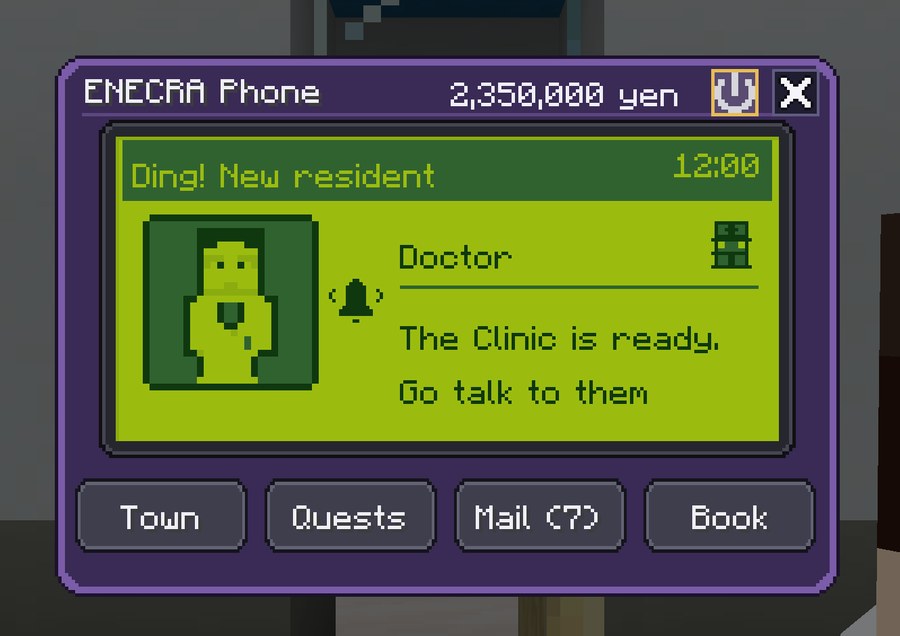
Incoming When a resident wants to move in, when a resident arrives, when there is a blackout and so on, the incoming-call screen appears first when you open the phone ("Beep! Incoming").
Shutting down
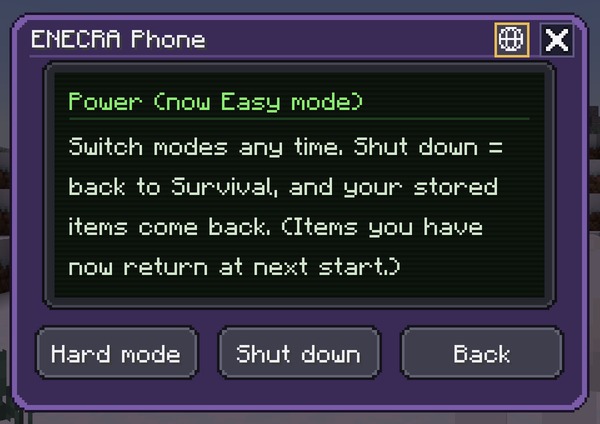
Power screenOpen it with the power mark on the home screen
"Shut down" puts you back in the mode you had before (Survival / Creative) and gives back the items that were kept safe.
The items you had while the phone was started are stored in the phone and come back the next time you start it.
While training is running on the teacher tablet, the phone can't be started.
Language (Japanese / English)
The first time the owner enters a new world, a language screen (Japanese / English) appears once. The language you choose becomes the world's language (everyone's screens and the signs in the world). Worlds you have been playing since an earlier version stay in Japanese without asking.
To change it later, use the globe button on the top edge (left of the ×) of the phone's start screen and power screen. The world owner's phone changes the world's language (for everyone); anyone else's phone changes only their own screens. You can also change it on the teacher tablet (for everyone).
Block and item names follow Minecraft's own language setting (to play in English, set Minecraft's language to English as well).
Reading the quest screen
12345678910
Tap the picture to hide the numbers (tap again to bring them back).
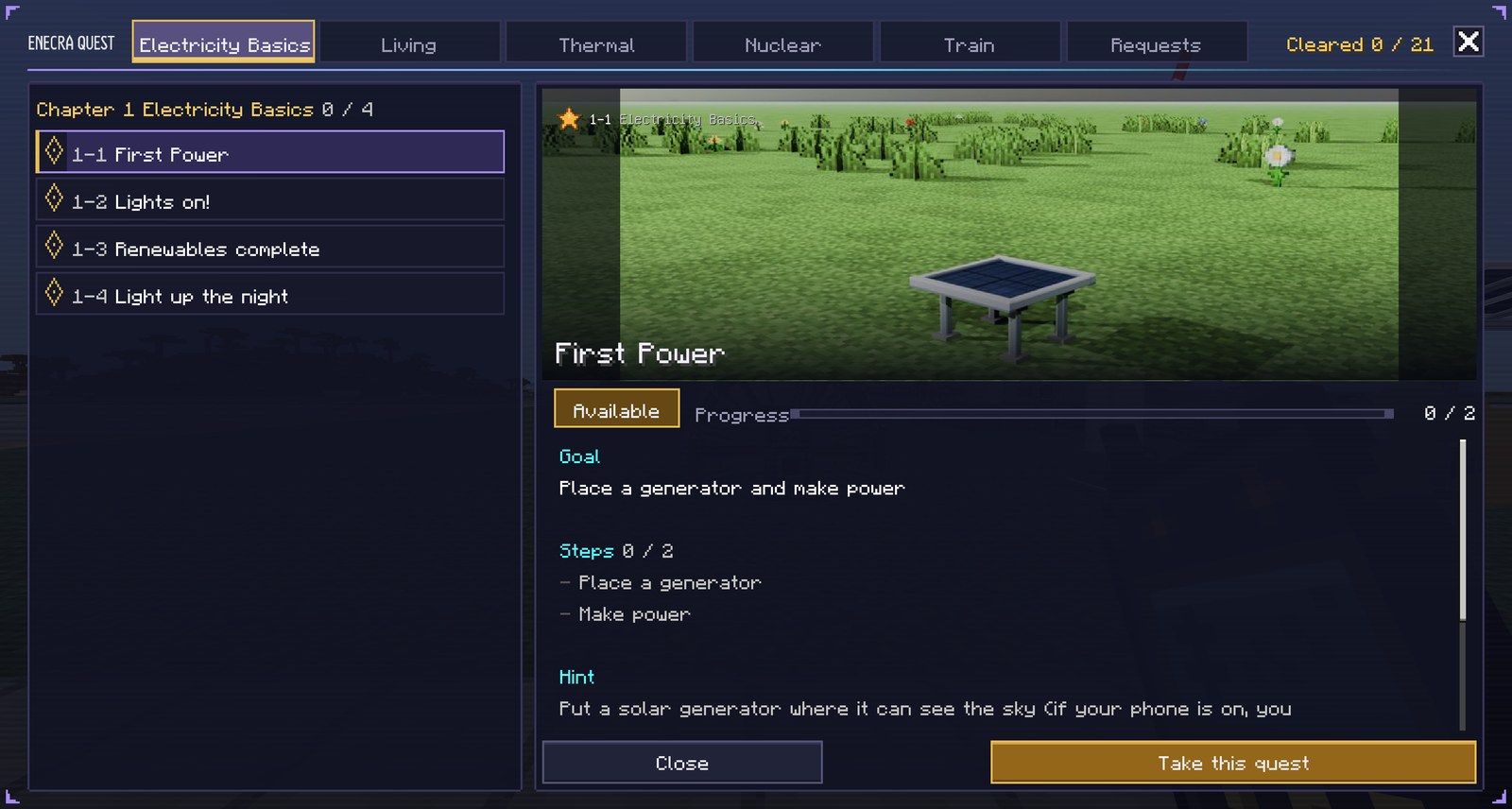
1Chapter tabsQuests are grouped by chapter. The tab on the far right, "Requests", holds requests from residents (chapter 7).
2Cleared countHow many of the 21 quests you have cleared.
3Quest listThe quests in the chosen chapter. Press one to see it on the right.
4Number and difficultyThe quest number and its difficulty stars.
5Status"Available", then "In progress" once you take it, then "Cleared" when you finish.
6ProgressHow many steps are done (done / total).
7GoalWhat you need to do to clear it.
8StepsWhat to do to clear it. While you have it, the next thing to do (NEXT) is shown too.
9HintA hint on how to do it. Once you clear it, the answer (how to do it) appears here.
10Take this questPress to take it. While you have it, it becomes "Quit this quest".
Tips You can take quests in any order. If you're not sure, go in chapter order. You can have only one quest at a time (taking another quest switches to it). Only what you do after taking a quest counts. If your phone is started, you get the tools for a quest when you take it (see "Tools you get" below). When you take a quest, the screen closes and the quest and the next thing to do (NEXT) appear at the top right of the screen.
CHAPTER1
Electricity Basics
4 quests
1-1
First Power
Task
Difficulty
★★★
Goal
Place a generator and make power
Hint
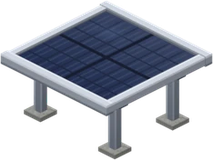
Put a solar generator where it can see the sky (if your phone is on, you get one when you take this quest)
Tools you get
Solar Generator (once, when you take it with the phone started)
See how (spoilers)
After taking this quest, place a solar generator yourself (wind or hydro is OK too). If your phone is on, you get one solar generator when you take the quest
Solar works in the daytime where it can see the sky. Keep the space above wind turbines open. Put hydro in flowing water
Cleared when the generator you placed starts making power
1-2
Lights on!
Goal
Difficulty
★★★
Goal
Send your power through a wire and light an LED
Hint
Run a wire from the generator and connect an LED at the end
Tools you get
Blue LED, Wire x8 (once, when you take it with the phone started)
See how (spoilers)
After taking this quest, place an LED yourself (Black LED, Brass LED, Blue LED, Filament LED, Factory LED, or Lantern LED)
Run a wire from a working generator to the LED
Cleared when the LED lights up (it won't if the generator is stopped)
1-3
Renewables complete
Goal
Difficulty
★★★
Goal
Make power with all four: solar, advanced solar, wind, and hydro
Hint
Get all four. Keep the space above wind turbines open, and put the water wheel in flowing water
Tools you get
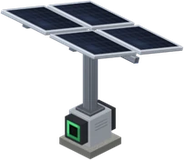
Solar Generator, Advanced Solar Generator, Wind Generator, Hydro Generator, Water Bucket (once, when you take it with the phone started)
See how (spoilers)
After taking this quest, place one each of a solar, advanced solar, wind, and hydro generator yourself (ones from 1-1 don't count)
The two solar kinds work in the daytime where they can see the sky (they stop at night). Keep the space above wind turbines open. Put hydro in flowing water
Cleared when each of the four kinds makes power (counted per kind)
1-4
Light up the night
Goal
Difficulty
★★★
Goal
Store power in a battery and keep an LED on at night
Hint
Solar stops at night. Charge a battery during the day, then right-click it and set it to "Send" before night, and you can use the power at night
Tools you get
Battery, Wire x8 (once, when you take it with the phone started)
See how (spoilers)
After taking this quest, place a battery yourself, connect it to a generator (solar, etc.) with wire, and charge it during the day (batteries placed before don't count. A new battery starts in "Store only")
Run a wire from the battery to an LED you placed yourself after taking this quest (LEDs from 1-2 don't count)
Right-click the battery and set it to "Send" (green lamp, lever up). In "Store only" it sends no power
Cleared when the battery has charge, is set to "Send", and your LED is on at night (when solar stops). All three are needed
CHAPTER2
Living
8 quests
2-1
The house has power
Task
Difficulty
★★★
Goal
Build the model house and bring power to its breaker panel
Hint
Build a house with the Model House Builder and connect the generator's wire to the back of the breaker panel (the green port on the outside wall of the house). The ceiling light inside turns on when you plug it into the ceiling outlet with a power cord
Tools you get
Model House Builder, Wire x8 (once, when you take it with the phone started)
See how (spoilers)
Build a house with the Model House Builder (whoever builds it owns the breaker panel)
Connect the generator's wire to the back of the breaker panel (the green port on the outside wall of the house)
Cleared when power reaches your house's breaker panel, the breaker doesn't trip, and there is enough power (plug the ceiling light into the ceiling outlet with a power cord to turn it on)
2-2
Keep the fish cold
Task
Difficulty
★★★
Goal
Put a fish you caught into a fridge that has power
Hint
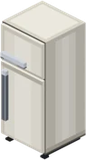
Caught fish go bad if left out. A fridge only keeps things cold when it has power
Tools you get
Refrigerator, Fishing Rod (once, when you take it with the phone started)
See how (spoilers)
Build a house with the Model House Builder (it has a fridge). Connect the generator's wire to the back of the breaker panel (the green port on the outside wall of the house)
Catch a fish with a fishing rod
Cleared when you right-click a fridge that has power and put the fish in
2-3
Ding! Dinner
Task
Difficulty
★★★
Goal
Heat food in a microwave
Hint
Raw food stops going bad once you heat it in the microwave
Tools you get
Microwave Oven (once, when you take it with the phone started)
See how (spoilers)
Connect power to the microwave (in the model house, it's enough for the house to have power)
Hold raw meat, fish, or a potato and right-click the microwave
Cleared when it starts heating (it goes "ding" when it's done)
2-4
Cleaning Master
Goal
Difficulty
★★★
Goal
Fully charge the vacuum and clean up the dust
Hint
The vacuum charges when it sits on its charging stand (the model house has one set up already). Dust falls around appliances
Tools you get
Cordless Vacuum Cleaner, Charging Stand (once, when you take it with the phone started)
See how (spoilers)
Connect power to the house (the model house's charging stand already has a vacuum on it)
Wait until the vacuum on the stand is fully charged
Right-click the stand with an empty hand to take the vacuum, then use it near the dust that falls around appliances
Cleared when you have both a full charge and cleaned dust
2-5
Leave it to the robot
Goal
Difficulty
★★★
Goal
Place a cleaning robot and let it handle the dust
Hint
If your phone is on, you get one when you take this quest (in Creative, find it in the Living tab of the item list). Plug the charging dock into an outlet and the robot comes out
Tools you get
Cleaning Robot and Dock, Power Cord (White) x2 (once, when you take it with the phone started)
See how (spoilers)
If your phone is on, you get the "cleaning robot and charging dock" and a power cord when you take the quest (in Creative, the Living tab of the item list; if the Electronics Dealer has come to town, you can also buy them at the shop)
Place the charging dock against a wall in the house and plug it into an outlet with a power cord (when it gets power, the robot comes out and charges)
When dust appears in the house, the robot goes out to clean. Cleared when it cleans up one piece of dust
2-6
Review the contract
Task
Difficulty
★★★
Goal
Change your contract amps with electrical work
Hint
If the breaker trips a lot, your contract may be too small. Ask the town's Electrician
Tools you get
Room Air Conditioner, Washing Machine (once, when you take it with the phone started)
See how (spoilers)
Welcome the Electrician to town (they move in once a house has had its breaker trip)
Talk to the Electrician and use "Ask for electrical work" to change your house's contract amps
Cleared when you change it (if a house's breaker trips a lot, its contract may be too small)
2-7
Beat the heat
Goal
Difficulty
★★★
Goal
Wear a charged fan jacket and go outside on a heat-wave day
Hint
Crouch in front of an outlet to charge it. Wear it in the chest slot
Tools you get
Fan Jacket (once, when you take it with the phone started)
Reward
Electric Fan (when cleared, furniture)
See how (spoilers)
Hold the fan jacket and crouch in front of an outlet to charge it
Wear it on your chest
Cleared when you go outside on a heat-wave afternoon and the jacket starts by itself (the TV weather forecast tells you if it's a heat-wave day)
2-8
Beat the cold
Goal
Difficulty
★★★
Goal
Wear a charged heated vest and go outside on a cold day
Hint
Crouch in front of an outlet to charge it. Wear it in the chest slot
Tools you get
Heated Vest (once, when you take it with the phone started)
See how (spoilers)
Hold the heated vest and crouch in front of an outlet to charge it
Wear it on your chest
Cleared when you go outside on a cold night and the vest starts by itself (the TV weather forecast tells you if it's a cold day)
CHAPTER3
Thermal
1 quest
3-1
Run a thermal plant
Challenge
Difficulty
★★★
Goal
Finish a thermal boiler and turbine generator and make power
Hint
Build it with the Thermal Boiler Builder and put coal in the coal yard. Steam goes from the steam drum to the turbine
Tools you get
Thermal Boiler Builder, Turbine Builder, Wire x32, Steam Pipe x16, Water Pipe x16, Water Bucket x2, Coal x32 (once, when you take it with the phone started)
See how (spoilers)
Build the boiler with the Thermal Boiler Builder and the turbine generator with the Turbine Builder
Put coal in the coal yard
Connect the steam drum to the turbine with pipes
Cleared for whoever is nearby when it starts making power
CHAPTER4
Nuclear
4 quests
4-1
Run a nuclear plant
Challenge
Difficulty
★★★
Goal
Finish a reactor and turbine generator and make power
Hint
The reactor turns the turbine with steam. You need a path for the steam and a return path for the water. Fuel (uranium dioxide fuel) is sold by the town's Trader. If you're stuck, check "Hint" on the control panel
Tools you get
BWR Reactor Builder, Turbine Builder, Steam Pipe x16, Water Pipe x16, Water Bucket x2, Wire x16 (once, when you take it with the phone started)
See how (spoilers)
BWR: build with the BWR Reactor Builder and the Turbine Builder, then pipe the steam path (reactor to turbine) and the water return path (condenser to reactor). Start it up following "Hint" on the control panel
PWR: build with the three builders (reactor, turbine generator, transformer/switchyard), then connect the reactor and the turbine row with the main steam pipe (white) and the feedwater pipe (light blue). Put the water intake in sea or river water and go through the startup steps on the main control panel
Cleared for whoever is nearby when it starts making power (either type)
4-2
Made MOX fuel
Goal
Difficulty
★★★
Goal
Make MOX powder from spent fuel at the reprocessing plant
Hint
Used fuel isn't just thrown away. When a BWR reactor is running, the Reprocessor comes to town. Bring 5 spent fuel assemblies to the Reprocessor and the plant starts (still in the waste container is fine)
Tools you get
Wire x8 (once, when you take it with the phone started)
See how (spoilers)
When a BWR reactor has made power for 1 minute, the Reprocessor wants to move to town. Welcome them and build the plant with the Reprocessing Plant Builder
Connect a wire to the intake panel behind the plant (without power, it can't accept fuel)
Right-click the spent fuel pool behind the reactor to take out spent fuel (5 per batch, up to 25 at a time; in the waste container is fine)
Talk to the Reprocessor and use "Bring spent fuel" (1,000 yen each time). In about 96 seconds, MOX powder, uranium oxide, vitrified waste, and metal scraps appear in the shipping box to the right of the entrance. Cleared for whoever is within 24 blocks of the shipping box then (if you were far away, come back within 32 blocks)
4-3
Fuel came full circle
Challenge
Difficulty
★★★
Goal
Put the MOX fuel you made back into a reactor
Hint
Make MOX at the reprocessing plant and put it in a reactor
See how (spoilers)
Make MOX powder at the reprocessing plant (4-2)
Open the shipping box (barrel) to the right of the entrance and take out the MOX powder
Cleared when you hold the MOX powder and right-click the BWR reactor nozzle to load it (the fuel came full circle)
4-4
Power mix complete
Challenge
Difficulty
★★★
Goal
Make power from renewables, thermal, and nuclear at the same time
Hint
Japan doesn't rely on just one source; it makes power by combining several (the energy mix)
See how (spoilers)
Run renewables (solar, wind, or hydro), a thermal plant, and a nuclear plant
Make all three produce power at the same time (solar in the daytime; at night, wind or hydro)
Cleared when all three make power at once (they can be far apart in the same world)
CHAPTER5
Train
4 quests
5-1
Get the train moving
Goal
Difficulty
★★★
Goal
Build an electric railway, connect power to its substation, and run a train
Hint
A train's power flows from the substation to the overhead wire (the trolley wire, 5 m above the rails) and into the train through the pantograph on its roof. The two substations are linked by wire and share power
Tools you get
Electric Railway Builder, Train Builder, Wire x8 (once, when you take it with the phone started)
See how (spoilers)
Build the loop line with the Electric Railway Builder (with a station, a DC and an AC substation, and a commuter train)
Connect a powered wire next to either substation (the two substations are linked by wire and share power)
Right-click the front of the train (the cab) and choose "Start auto-run" or "Sit in the driver's seat". Cleared for whoever is nearby when the train moves
5-2
Ride the train
Goal
Difficulty
★★★
Goal
Walk onto a train at a station, take any seat, and ride to the next station
Hint
You can walk inside a stopped train. Look at a seat and it glows green: right-click to sit. Look at another seat and right-click to move. Crouch (Shift) to stand up
Reward
Station Clock (when cleared, furniture)
See how (spoilers)
When the train stops at a station and its doors open, walk on from the platform (you can walk inside while it's stopped)
Look at a seat and it glows green. Right-click to sit (look at another seat and right-click to move; crouch to stand)
Cleared when you stay seated until the train reaches the next station (on auto-run or with someone else driving)
5-3
Be the driver
Goal
Difficulty
★★★
Goal
Sit in the cab, drive the train yourself, and stop at a station platform
Hint
W to speed up, S to brake, nothing to coast. Stop beside the platform and the doors open. If another train is ahead, you stop automatically as you get close (block signals)
See how (spoilers)
Right-click the front of the train (the cab) and choose "Sit in the driver's seat"
W to speed up, S to brake (if another train is ahead, you stop automatically as you get close)
Stop beside the platform and the doors open = cleared
5-4
Cross the AC/DC border
Challenge
Difficulty
★★★
Goal
Drive a train through a dead section (the border between DC and AC)
Hint
The loop line from the Electric Railway Builder has a DC part and an AC part. The overhead wire at the border has no power, so the train rolls through on its momentum (real railways have this where DC and AC lines meet)
See how (spoilers)
Build the loop line with the Electric Railway Builder (with a DC and an AC substation and the dead section between them)
Connect power to a substation, then right-click the cab and choose "Start auto-run" or "Sit in the driver's seat"
Cleared for whoever is nearby (or riding) when the train passes the dead section. The lights inside go out for a moment as it passes
CHAPTER6
Town residents
Deliver power well and residents move in (18 residents)
How a resident comes
1 Meet the conditionhow power is in town▶2 A call on the phone"Wants to move in"▶3 Welcome them in town"Town" on the home screen▶4 Build their shopthe shop builder▶5 The resident arrivesstands in front of the shop
When you meet the condition, your phone gets a call. On the home screen, open "Town" and press the resident marked "Wants to move in!" to get the builder for their shop.
You can build the shop anywhere (use Builder Undo to rebuild it). Once it is built, the resident stands in front of it. Try talking to them.
Residents never leave. While their shop has no power, it is "Closed" (the sign light goes out, and they look troubled when you talk to them).
Talk to residents to hear rumors about residents who haven't come yet (hints about their conditions).
Residents belong to the town (the world). Requests and quests are per player.
There are 2 hidden residents. They don't appear in the book until they come.
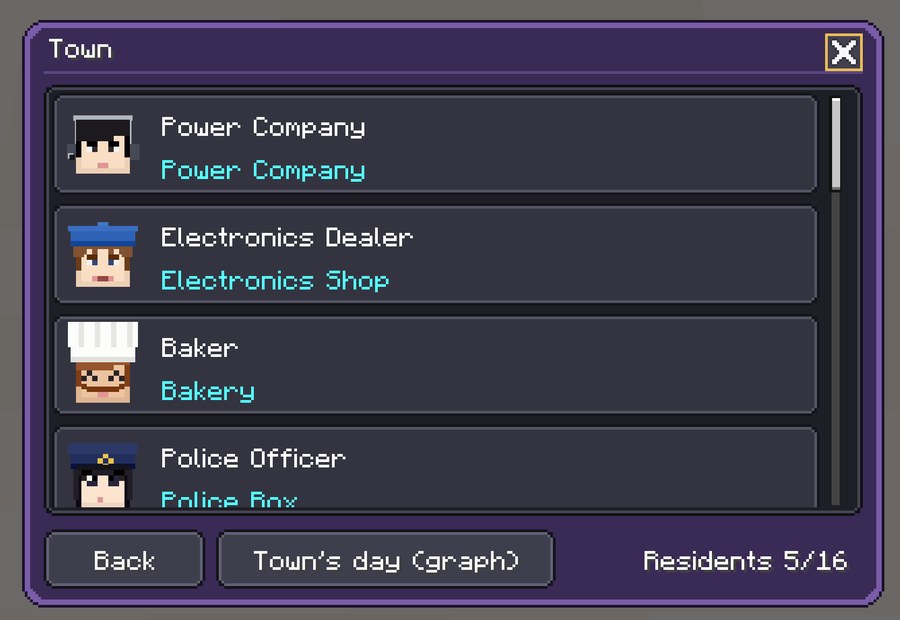
The incoming-call screenWhen a resident arrives (a little tune plays)The "Town" screenThe list of residents (people who want to move in show up here too)
Resident guide
As in the in-game Residents Book, the hints for when they come are shown, and the detailed steps are folded.
No.01
Power Company
Power Company (any time)
“Power can't be stored up, so we always match how much is made to how much is used”
When they move in Wants a town with its first generator
Detailed steps (spoilers)
Have an ENECRA Phone (you don't need to turn it on)
Place one generator (a solar generator, for example)
As soon as there is a generator that someone placed, they want to move in
Once you sign a power-selling contract with the Power Company, you can sell your spare power, as much as the town uses
No.02
Electronics Dealer
Electronics Shop (9:00 to 18:00) 3 requests
“Power gets here reliably, so I opened my shop”
When they move in Wants homes with power for half a day straight
Detailed steps (spoilers)
Build at least one house and connect power to its Breaker Panel
Keep power going to that house for half a game day (about 10 minutes) without a break
If the power goes out on the way, the count starts over from there
No.03
Baker
Bakery (4:00 to 7:00) 4 requests
“I knead the dough from 4 a.m. I need power while it's still dark”
When they move in Wants homes with enough power before dawn
Detailed steps (spoilers)
Build at least one house
Before dawn (4:00 to 6:00), keep enough power going to every house the whole time
Solar stops at night, so back it up with batteries or a plant that also runs at night (a new battery is set to "Store only": right-click it to switch it to "Send")
Mornings you didn't watch from the night before, and mornings you skipped to (bed or /time), don't count
No.04
Police Officer
Police Box (19:00 to 5:00) 3 requests
“Bright streets at night make patrols safer”
When they move in Wants a town whose streets stay lit all night
Detailed steps (spoilers)
Put up at least 6 street lights along the roads (street lights not connected to a house's wiring)
Keep all 6 lit the whole night (19:00 to 5:00)
Street lights that go out on the way don't count. Nights you skipped don't count either
No.05
Doctor
Clinic (any time) 3 requests
“The clinic's power can't stop, even at night”
When they move in Wants no blackouts all day, plus a battery (after 3 residents)
Detailed steps (spoilers)
Have at least 3 residents with their shops built (town stage 2)
Build at least one house
Keep every house free of blackouts for one game day (about 20 minutes) in a row
Connect at least one battery to the town
No.06
Stationmaster
Station Kiosk (16:00 to 21:00) 4 requests
“A town where the trains never stop is a good town”
When they move in Wants trains running all day, nonstop (after 3 residents)
Detailed steps (spoilers)
Have at least 3 residents with their shops built (town stage 2)
Send power to a substation and run a train
Keep power going to the substation for one game day (about 20 minutes) (if it stops for more than 10 seconds, the count starts over)
If a train runs at least once during that time, they come
No.07
Factory Manager
Factory (9:00 to 17:00) 3 requests
“I keep the machines running all day”
When they move in Wants lots of daytime power, nonstop (after 3 residents)
Detailed steps (spoilers)
Have at least 3 residents with their shops built (town stage 2)
During the day (9:00 to 17:00), keep every house and shop free of blackouts the whole time
Have the whole town use, on average, as much power as 10 houses (add houses, shops and appliances)
Days you started watching partway, and days you skipped, don't count
No.08
Weather Forecaster
Weather Station (6:00 to 8:00) 4 requests
“I wonder what kind of power today's sky will make”
When they move in Wants solar and wind power on the same day (after 3 residents)
Detailed steps (spoilers)
Have at least 3 residents with their shops built (town stage 2)
Place both a solar generator and a wind generator
Make power with both on the same day (from 6:00 to 6:00 the next morning)
No.09
Professor
Lab (10:00 to 16:00) 3 requests
“As the town grows, we learn more”
When they move in Wants a lively town with 5 residents
Detailed steps (spoilers)
Welcome 5 residents and build their shops (hidden residents don't count)
No.10
Electrician
Electrician's Shop (8:00 to 17:00) 2 requests
“Leave the work to change your house's contract to me”
When they move in Wants a home with a tripping breaker (after 3 residents)
Detailed steps (spoilers)
Have at least 3 residents with their shops built (town stage 2)
Build a house and connect power to its Breaker Panel
Use lots of appliances at once, so you use more power than your contract allows (the breaker trips)
As soon as one house has a tripped breaker, they want to move in
No.11
Trader
Trading Company (9:00 to 17:00)
“Resin and lithium come from abroad by ship”
When they move in Wants to sell imports where homes have power (after 3 residents)
Detailed steps (spoilers)
Have at least 3 residents with their shops built (town stage 2)
Build at least one house and connect power to its Breaker Panel
As soon as one house has power, they want to move in
At their shop you can buy materials brought in from abroad (resin, tin, lithium, gallium, neodymium, silver, aluminum)
No.12
Chipmaker
Chip Factory (any time) 1 request
“If the factory's power stops even for a moment, the wafers in progress are ruined”
When they move in Wants materials and power that never stops (after 6 residents)
Detailed steps (spoilers)
Have at least 6 residents with their shops built (town stage 3)
Welcome the Trader (you can get materials from abroad)
Keep every house free of blackouts for one game day (about 20 minutes) in a row
Connect at least 2 batteries to the town (a backup for power that must never stop)
No.13
Steelmaker
Electric Furnace Factory (any time) 1 request
“An electric furnace is a factory you can run when the town has extra power”
When they move in Wants lots of spare power, like daytime solar (after 6 residents)
Detailed steps (spoilers)
Have at least 6 residents with their shops built (town stage 3)
Build at least one house
Have the town's generators make at least 2 kW more than the town uses (daytime solar on a sunny day, for example)
When that spare power lasts for 1 minute, they want to move in
No.14
Silicon Maker
Silicon Factory (any time) 1 request
“Silicon is made from quartz in sand. It uses a huge amount of power”
When they move in Wants a chip factory and lots of spare power (after 6 residents)
Detailed steps (spoilers)
Have at least 6 residents with their shops built (town stage 3)
Welcome the Chipmaker
Have the town's generators make at least 150 kW more than the town uses (a nuclear plant or lots of solar, for example)
When that spare power lasts for 1 minute, they want to move in
No.15
Reprocessor
Reprocessing Plant (any time) 1 request
“Used fuel still has uranium and plutonium that can be used”
When they move in Wants used fuel from a running reactor (after 6 residents)
Detailed steps (spoilers)
Have at least 6 residents with their shops built (town stage 3)
Finish a BWR reactor
Make power with the reactor. When that lasts for 1 minute, they want to move in
At the plant, make MOX powder from spent fuel (bring 5 spent fuel to the Reprocessor; still inside a Waste Container is fine)
No.16
Machine Maker
Machine Maker (9:00 to 17:00)
“We build factory machines one by one after we get the order, then deliver them”
When they move in Wants to bring machines to a factory town (after 6 residents)
Detailed steps (spoilers)
Have at least 6 residents with their shops built (town stage 3)
Welcome one of the factory residents (Chipmaker, Steelmaker, Silicon Maker or Reprocessor)
When that factory building is built, they want to move in
At their shop you can buy the fab machines for the factories built in your town
No.17 · hidden resident
Astronomer
Observatory (21:00 to 24:00) 2 requests
“With the lights off, you can see so many stars in the night sky”
When they move in Wants a clear night sky, away from lights
Detailed steps (spoilers)
On a clear night (19:00 to 5:00, not raining), go outside where there is no roof
Pick a spot with no lit street lights within 20 blocks
Look up at the sky, almost straight up, and stay like that for 10 seconds
No.18 · hidden resident
Mysterious Traveler
??? (rarely seen)
“What a nice town. Every house has lights that never go out”
When they move in ???
Detailed steps (spoilers)
Welcome all 16 regular residents and build their shops
Keep every house free of blackouts for 3 game days (about 1 hour) in a row
The traveler has no building. They stand somewhere in town, so look for them and talk to them
CHAPTER7
Requests and furniture
35 requests from residents, 48 pieces of reward furniture
Talk to a resident to hear their request (hearing it means you have taken it). You can also take requests from the "Requests" tab of the quest screen.
Each resident's requests come in order. Only what you do after taking a request counts.
When it comes true, you get a reward piece of furniture right there.
There are three ways to get furniture: requests, quest rewards (2-7 “Beat the heat”: Electric Fan / 5-2 “Ride the train”: Station Clock), and the Items Book (furniture you have got once can be bought from the book).
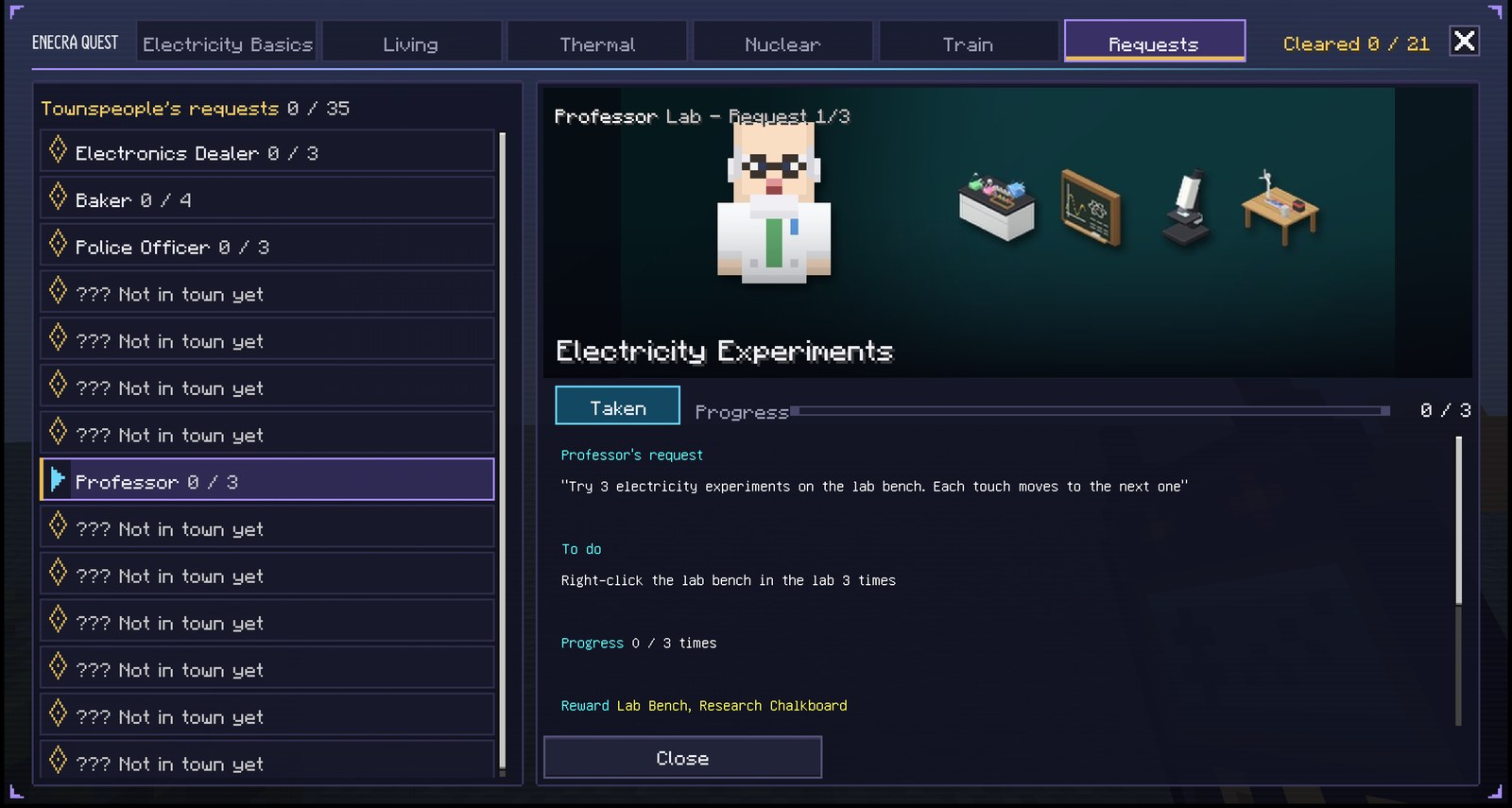
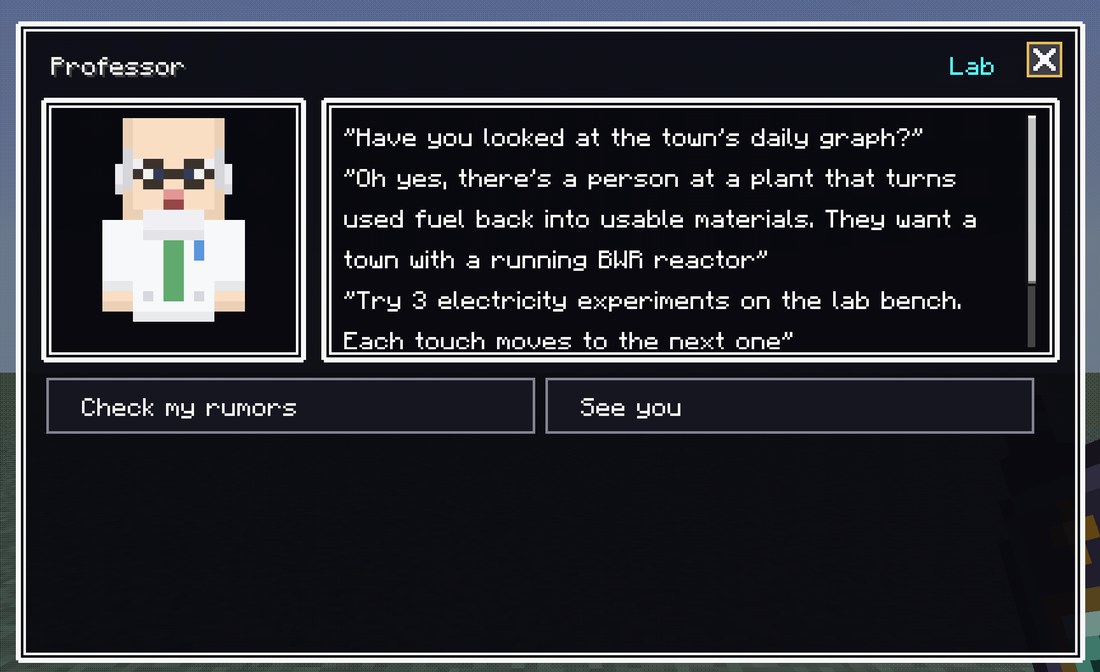
The "Requests" tab of the quest screenThe Professor's request "Electricity Experiments" is selectedTalking to a residentThe Professor (Lab); you can also choose "Check my rumors"
All requests
Resident
Request
What to do
Reward (furniture)
Electronics Dealer
Appliance power comparison
Right-click the appliance display shelf at the electronics shop
Appliance Display Shelf
First Shopping
Buy 1 thing at the electronics shop
Electronics Store Register
Appliances for a New House
Have 2 houses of your own (breaker panels)
Appliance Delivery Boxes
Baker
Come Buy Fresh Bread
Buy 1 thing at the bakery
Cash Register, Chalkboard Menu
First Customer of the Day
Buy at the bakery between 4 and 7 on the town clock
Bread Crate Stand, Baguette Basket
Keep the Oven Going
Keep power going to the bakery for half a game day (about 10 minutes)
Bakery Oven, Glass Showcase
Lots of Bread
Buy at the bakery 3 times
Bread Shelf
Police Officer
Town Map Board
Right-click the town map in the police box
Town Map Board
Night Patrol
Talk to the Police Officer at night (19 to 5) while the police box has power
Police Box Desk, Notice Board
Bright Streets
Turn on 10 street lights at night (not wired to a house)
White Bicycle
Doctor
Medicine Shelf
Right-click the medicine shelf in the clinic
Medicine Shelf
Ready for Emergencies
Have 2 batteries in town
Reception Counter, Waiting Bench
A Clinic That Never Stops
Keep power going to the clinic for half a game day (about 10 minutes)
Examination Bed
Stationmaster
Shopping at the Kiosk
Buy 1 thing at the station kiosk
Kiosk Register, Magazine Rack
Try a Station Bento
Eat a station bento
Station Bento Stand, Snack Shelf
Vending Machine Drinks
Buy a drink from the vending machine
Vending Machine
Cold Tea
Drink cold tea
Drink Cooler
Factory Manager
Operation Panel
Right-click the operation panel in a factory with power to run the machines
Operation Panel
Daytime Factory
Keep power going to the factory for half a game day (about 10 minutes)
Lathe, Press Machine
Make Lots
Run the machines 3 times with the operation panel
Belt Conveyor
Weather Forecaster
Today's Sky
Right-click the weather map screen at the weather station
Weather Map Screen
Catch the Wind
Make power with 2 wind generators
Anemometer
Rainy Sky
Right-click the weather map screen (or the anemometer) on a rainy day
Rain Gauge
Sunny Day Power
Make power with 3 solar generators
Instrument Shelter
Professor
Electricity Experiments
Right-click the lab bench in the lab 3 times
Lab Bench, Research Chalkboard
Microscope
Look through the lab microscope 3 times
Microscope
Many Kinds of Power
Make power with 3 kinds (solar, wind, hydro, thermal, and so on) at the same time
Power Model
Electrician
Contract Work
Ask the Electrician for contract work
Electrician's Desk, Work Schedule Board
Wiring Work
Ask the Electrician for wiring work
Wiring Supplies Shelf, Tool Battery Charger
Chipmaker
Order Some Chips
Pay the Chipmaker to make chips (until they're done)
Chip Making Machine
Steelmaker
Bring Scrap Iron
Pay the Steelmaker to turn scrap iron into iron ingots (until it's done)
Electric Steelmaking Machine
Silicon Maker
Bring Materials
Pay the Silicon Maker to make metallic silicon (until it's done)
Metallic Silicon Machine
Reprocessor
Bring Fuel
Bring spent fuel to the Reprocessor and have it reprocessed once (in the waste container is fine)
Nuclear Fuel Reprocessing Machine
Astronomer
Starry Sky
Look through the telescope on a clear night
Telescope
How to find stars
Right-click the star chart in the observatory
Star Chart
Furniture you can use with right-click
Appliance Display ShelfRight-click to compare each appliance's power Furniture from the Electronics Dealer
Electric FanAn appliance that runs on power (plug it into an outlet) Furniture from the Electronics Dealer
Bakery OvenRuns on power (plug it into an outlet) Furniture from the Baker
Glass ShowcaseRuns on power (plug it into an outlet) Furniture from the Baker
Town Map BoardRight-click for shop locations (direction and distance) Furniture from the Police Officer
Medicine ShelfRight-click for a talk about hospitals and power Furniture from the Doctor
Vending MachineRuns on power (plug it into an outlet). Right-click to buy a drink Furniture from the Stationmaster
Drink CoolerRuns on power (plug it into an outlet) Furniture from the Stationmaster
Station ClockRight-click for the departure chime and the town time Furniture from the Stationmaster
Operation PanelRight-click to run nearby factory machines for 10 seconds Furniture from the Factory Manager
Weather Map ScreenRight-click for the current sky and solar and wind power Furniture from the Weather Forecaster
AnemometerRight-click for the current sky and solar and wind power Furniture from the Weather Forecaster
Lab BenchRight-click for electricity experiments (3 in turn) Furniture from the Professor
MicroscopeRight-click to look (3 slides) Furniture from the Professor
TelescopeRight-click to look (stars and the moon on clear nights) Furniture from the Astronomer
Star ChartRight-click for how to find stars Furniture from the Astronomer
Factory fab machines
Chip Making MachineWhen placed, it becomes a 3x3 machine, 3 blocks tall. Connect a wire to the bottom middle of the back (the inlet), right-click to put materials in the 9 slots, and press "Run" (once) or "Auto" (as long as materials last). Watch the 19 steps through the glass Reward for a request from the Chipmaker
Electric Steelmaking MachineWhen placed, it becomes a 3x3 machine, 3 blocks tall. Connect a wire to the inlet, put scrap iron (iron tools and buckets too) and graphite in the 9 slots, and press "Run". In 9 steps it becomes iron ingots Reward for a request from the Steelmaker
Metallic Silicon MachineWhen placed, it becomes a 3x3 machine, 3 blocks tall. Connect a wire to the inlet, put silica (sand or nether quartz), charcoal, and graphite in the 9 slots, and press "Run". In 9 steps it becomes metallic silicon Reward for a request from the Silicon Maker
Nuclear Fuel Reprocessing MachineWhen placed, it becomes a 3x3 machine, 3 blocks tall. Connect a wire to the inlet, put 5 spent fuel (in the waste container is fine) and 4 glass in the 9 slots, and press "Run". In 7 steps it makes MOX powder, uranium oxide, vitrified waste, and metal scraps Reward for a request from the Reprocessor
CHAPTER8
The King and money
Mail, visits, milestone rewards, and how money comes in
An ENECRA town starts on empty land. The King of this land sends challenges by mail to your phone, and sometimes comes to see how the town is doing. The King's mail and rewards go to players who are playing with the phone started (not during training).
The King's first mail
From the King
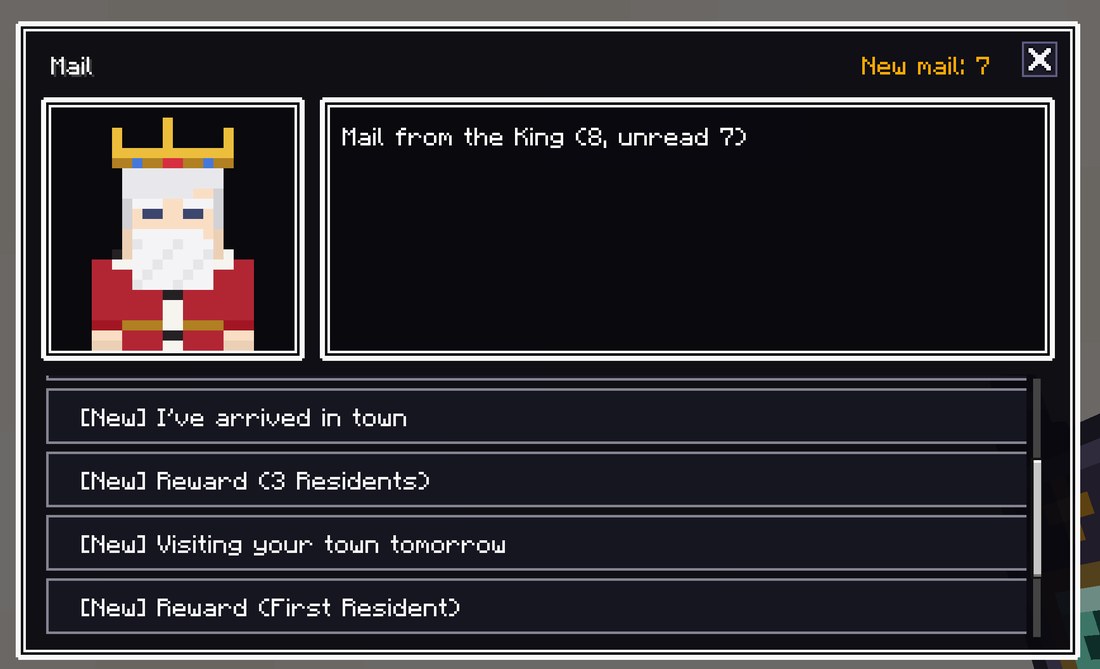
Welcome, pioneer. I am the King of this land. Our kingdom buys most of the fuel for making power from other countries. We can cover only about 15 percent of our energy ourselves.
I want you to build a town on this empty land that makes its own power. Power that is safe above all, never stops, isn't too costly, and doesn't dirty the air. Once the town is bright, people will move in.
The kingdom will back you with decrees: a subsidy when you buy generators, and rewards as the town grows. If you sign a contract with the Power Company when it comes to town, it will buy your extra power at a set price, but only as much as the town uses. I'll come and see how things are now and then. Begin with the quests on your phone. The kingdom will send the tools for your quests to your phone.
S SafetySafety comes first
E Energy securityPower keeps coming without stopping
E EconomyNot too expensive
E EnvironmentDoesn't pollute the air or nature
Every kind of power generation has strengths and weaknesses. The King never says which one is best. Combine them to make a well-balanced town.
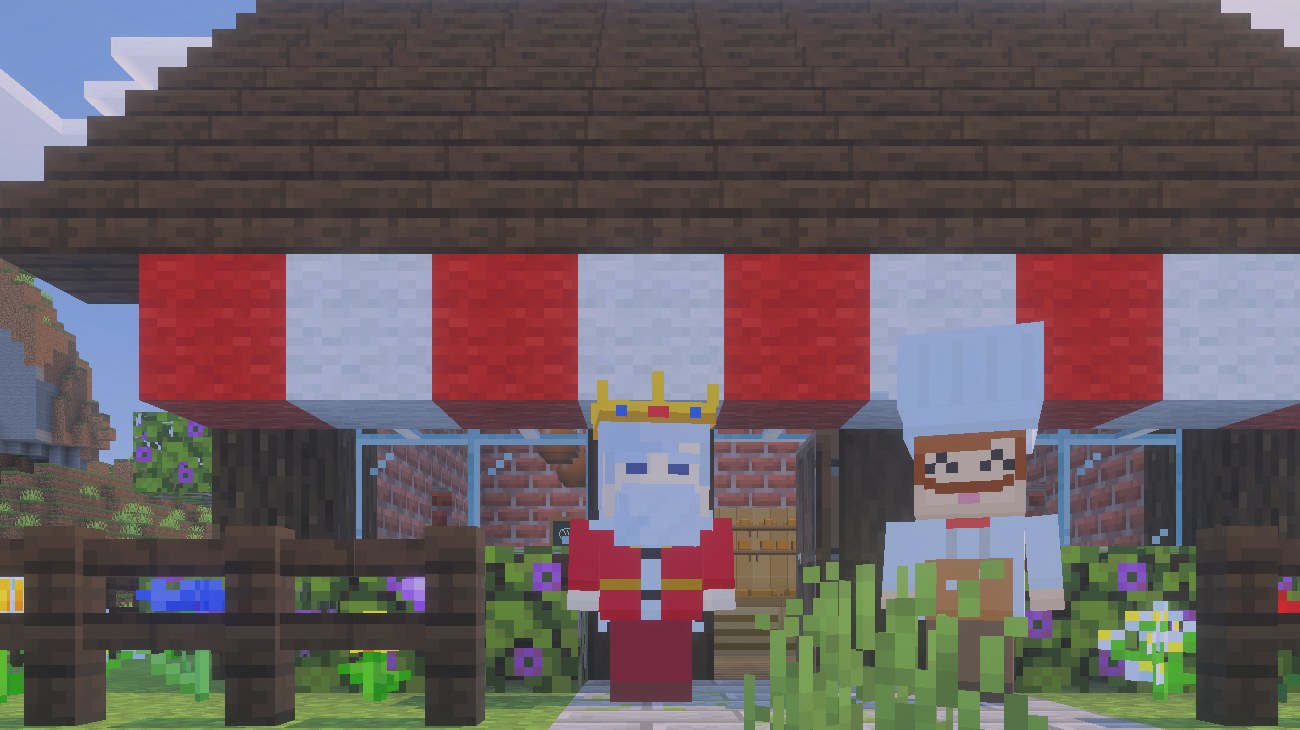
The phone's "Mail" screenMail from the King (new mail is marked)The King's visitThe King in front of the Baker's (talk to him for an S+3E review)
The King's visits and his "to-do"
As your town grows, the King comes to visit. The day before, you get a mail saying he will come tomorrow.
On that day he stands in town from morning until evening. Talk to him and he reviews your town using S+3E.
The mail the day before may include one thing he would like you to have done. It isn't required. If it's done by the day he is there, you get 50,000 yen as thanks.
What he asks
The King's words
Lights at Home
“bring power to your own house”
Ready for Night
“place a battery in town to be ready for night”
Lights at Night
“use wind, water, batteries, and such so the power doesn't stop at night”
More Power
“add 1 kW to your generators”
Mix Your Sources
“add one more kind of generator”
Milestone rewards (decrees)
By royal decree, a reward goes into your money once at each milestone of your town's growth. You get a mail about it.
Milestone
When
Reward
First Power
Your generator made power
30,000 yen
Lights at Home
Power reached your house (breaker panel)
50,000 yen
First Resident
1 resident came to town
100,000 yen
5 kW of Power
Your generators make 5 kW at once
100,000 yen
3 Residents
3 residents in town
200,000 yen
3 Power Sources
3 kinds of your generators make power at once
300,000 yen
20 kW of Power
Your generators make 20 kW at once
300,000 yen
6 Residents
6 residents in town
500,000 yen
16 Residents
16 residents in town (all the regular residents)
1,000,000 yen
Money in and money out
Money in
Selling power: once you have a contract with the Power Company, you can sell your spare power, as much as the town uses.
Milestone rewards: the table above.
The King's thanks: when his to-do is done.
Subsidy: when you buy a generator from the Electronics Dealer, the kingdom pays half.
Money out
Power bill: the power your homes use, plus the basic contract fee.
Shopping: shops such as the Electronics Dealer, the Station Kiosk, the Trader and the Machine Maker, and the Items Book.
Work and orders: installing a meter for a power plant (Power Company), and paying the Chipmaker, Steelmaker or Silicon Maker to make things for you.